The Ink You Never Printed: What Your Printer Is Really Doing Between Jobs
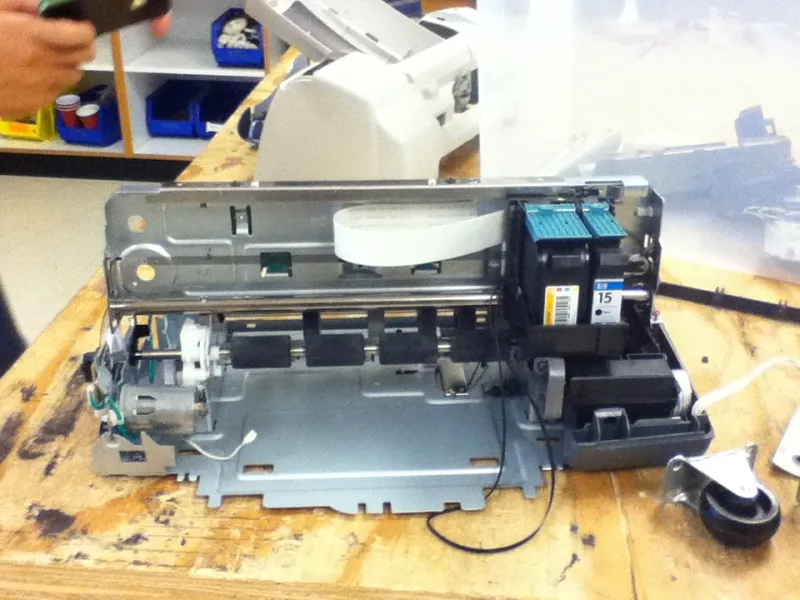
Photo: Klosito, CC BY-SA 3.0, via Wikimedia Commons
The printer that prints nothing still has a job
An inkjet printer is not a toaster. It has nozzles, cartridges and a maintenance routine, and it does not simply switch off between jobs. Even when no document is printing, it may wake up, check itself and run a cleaning cycle. That is why ink levels can fall after a week of silence. The printer is trying to stop its nozzles drying out. The trouble is that the cure can cost almost as much as the disease.
This is not a conspiracy. It is a design trade-off. A printer that never cleans may clog, and a clogged printhead is far more annoying than a cartridge that drains a little faster than expected. But if you run a UK home office, the hidden ink bill is worth understanding.
Cleaning cycles: necessary, but not free
Automatic cleaning pushes ink through the printhead. Some models do it after a set number of pages, after power-on, or when a nozzle check fails. Colour printers may also run a colour-mix maintenance routine, using cyan, magenta and yellow to keep all channels healthy. If you print once a fortnight, cleaning can account for a surprising share of your ink. A printer that sits idle for weeks may run a longer cleaning cycle when you finally switch it on.
None of this is automatically a fault. Clogged nozzles are worse. But it explains why a cartridge can feel empty when you have printed only a handful of pages. The ink went somewhere; it just did not go on paper.
Standby, firmware and prompts you did not ask for
Standby mode keeps the printer ready. Some models perform periodic maintenance while plugged in. Others go into a deeper sleep. Firmware updates can change how often cleaning happens, how ink levels are reported, or whether a cartridge is accepted. Not every update is about ink; some are security fixes. But if your printer suddenly starts rejecting a compatible cartridge or nagging you to replace one early, a firmware change is one possible cause.
Be sceptical of prompts that appear before the ink is actually gone. Some printers estimate levels rather than measure them. A warning at 20 per cent is not the same as a dry cartridge. Check the print quality before you swap. If the pages look fine, you may have more time than the screen suggests.
What UK home and office users can actually control
You cannot stop every maintenance cycle, but you can reduce the ones you cause. Print a small page once a week if the printer is in regular use; it keeps nozzles fresh without a deep clean. Use draft mode for everyday documents. Do not run cleaning cycles back-to-back; run one, print a nozzle check, then decide. Keep the printer out of direct sunlight and away from radiators, because heat dries ink.
If you are going away, check the manual for the best shutdown routine. Some printers prefer to stay plugged in; others do not. There is no universal rule. The important thing is to treat the printer as a machine with maintenance needs, not as a magic box that should sit silently until you need it.
For a home office that prints only a few text pages a week, a mono laser can be cheaper to run than an inkjet. For photos and colour, inkjet still makes sense. The worst combination is a cheap inkjet that sits idle for a month and then demands a full set of cartridges.
When compatible cartridges make sense
Compatible cartridges can make a real difference to running costs, particularly if your printer uses small, expensive cartridges. But they are not a magic fix for a wasteful printer. Buy from a UK supplier that names the compatible models clearly, offers a guarantee and has a returns process. Avoid the very cheapest unbranded carts with no chip information. If your printer is under warranty, check the terms.
For photo work, genuine ink may still be the safer choice for colour consistency. For letters, invoices and school letters, a good compatible set is often perfectly sensible. The honest answer is that compatible ink makes most sense when the printer itself is reliable. If the hardware is constantly cleaning and complaining, cheaper cartridges will only soften the blow.
How to spot a printer that wastes money while idle
Look for these warning signs:
- Ink levels drop noticeably when you have not printed.
- All colours fall together, even if you only print black text.
- The printer runs a cleaning cycle every time you switch it on.
- It refuses to print black text when one colour cartridge is empty.
- Firmware updates regularly trigger cartridge warnings.
- The cartridges are tiny and the cost per page is high.
- The printer has no draft mode or will not let you use greyscale.
- A maintenance box or ink pad needs replacing more often than expected.
None of these is proof of bad design on its own. Together, they suggest a machine that is expensive to keep idle. That matters in a UK spare room office where the printer might sit unused for days and then be asked to produce a boarding pass, a school form and a return label in one go.
The verdict: budget for the ink you do not see
An inkjet printer is a maintenance device as much as a printing device. The ink you see on the page is only part of the story. The ink used in cleaning, priming and colour upkeep is real, and it is part of the cost of owning a printer. If your printer is wasting ink while idle, you have three options: change how you use it, switch to a more efficient model, or accept the cost and buy cartridges more shrewdly. The worst option is to ignore it and blame the cartridge when the printer is the one setting the pace.