Boxing Day Boot-Up: A Calm First-Day Plan for a New Inkjet
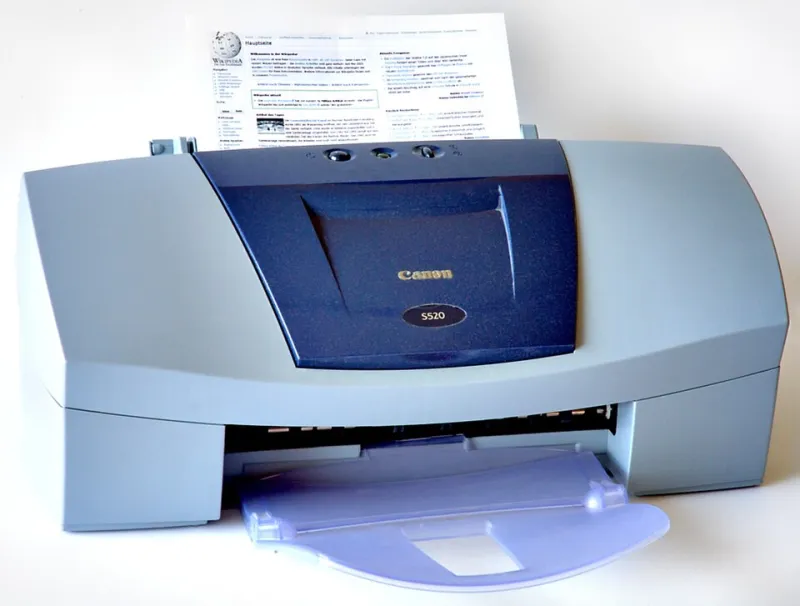
Photo: André Karwath aka Aka, CC BY-SA 2.5, via Wikimedia Commons
The box is open. Now slow down.
Boxing Day 2026 has a familiar rhythm: the turkey sandwiches are out, the sales tabs are open, and someone has finally unboxed the printer that was hiding under the tree. It is tempting to plug it in, skip the quick-start leaflet and print a photo before the kettle boils. Resist that urge. The first day with a new inkjet is not really about printing. It is about commissioning the machine without letting the small starter cartridges take the hit.
Starter cartridges are not a cruel trick, but they are not a full set of supplies either. They are there to get the printer from box to first page. Treat them as commissioning ink, not as your normal running costs. A calm setup now can save you a pointless cleaning cycle, a wasted test print and a messy return argument later.
Before the first beep
Clear a table and put a tray or a tea towel beside you for packaging. Keep the box, the internal cardboard, the tape strips, the power cable bag and the quick-start guide. In a UK home, these things have a habit of being needed just after they have gone out with the recycling.
Keep the receipt or order email somewhere sensible, too. If the printer was a gift, ask for a gift receipt or at least a screenshot of the order. Photograph the serial number and the model number before the machine disappears under a pile of wrapping paper. None of this is exciting, but it is the difference between a straightforward return and a January phone call where you are trying to remember which retailer sold what.
Read the quick-start page properly. Check for transport locks, orange tape and foam inserts. Some printers hide these better than others. Do not yank anything that feels fixed; if a part will not move, check the guide again.
Power, prime and leave it alone
Plug the printer in and switch it on. If the setup asks you to install cartridges, do it then, not before. Follow the order on the screen or in the app. Do not peel every label off every cartridge in advance and do not touch the metal contacts. A quick look at the manual is cheaper than a new cartridge.
When the printer starts priming or charging the ink system, let it finish. That noise is the machine pulling ink through the printhead. Switching it off halfway through, or unplugging it because the sound is odd, can waste ink and leave you with a poor first print. Give it the few minutes it asks for.
This is also not the moment to run three head-cleaning cycles for fun. Priming already uses ink. If the first page looks rough, use the printer's own guidance, but do not press every maintenance button in the menu just because it is there.
The first pages that actually tell you something
Start with the printer's status sheet or print-quality report. Most models can print a nozzle check pattern or a configuration page from the menu or companion app. That page tells you whether lines are missing, whether one colour is weak and whether the alignment looks sensible. If the pattern is clean, stop testing. You have learned what you needed to learn.
Next, print one ordinary text page on plain paper. A shopping list, a short letter or a returns label will do. Then, if you want to check colour, use one small colour block or the built-in demo page rather than a full A4 photo. Photos are lovely, but they are an expensive way to discover that the yellow cartridge is still settling in.
If the text page is good and the nozzle check is clean, leave it there. Repeatedly printing test pages to chase perfection is just a hobby with an ink bill attached.
Firmware, region and the compatible-ink question
While the starter cartridges are still in place, take five minutes to check the firmware version and region setting. The region should match where you bought the printer and where you are using it. Some setup routines ask you to choose a country or region; getting that wrong can affect support, warranty conversations and sometimes the availability of certain features.
If you plan to use compatible ink later, note the firmware version before you buy anything. Check the compatible supplier's compatibility list against your exact model and firmware. Do not blindly accept a firmware update the moment the printer offers one, especially if you have already bought a bargain cartridge. Updates can change how the printer checks cartridges, and what worked last week may not work after a forced update. That does not mean every update is bad; it means you should know what you are running before you change it.
There is no need to install compatible cartridges on day one if the starter set is working. Let the printer settle, check the pages and keep the setup simple. The compatible-ink decision can wait until you have a genuine reason to swap.
Packaging, receipts and your 2026 sale-season rights
Boxing Day sales often come with generous-looking return windows, but the details matter. Keep the printer box and internal packaging for at least the first month if you have the space. Keep the receipt, order confirmation and any promotional email. If the printer is faulty out of the box, you want the original packaging and a clear record of when you bought it.
For online purchases, UK consumers generally have a 14-day cancellation period under the Consumer Contracts Regulations, but opened ink and consumables can complicate matters. Retailer policies vary, and a printer that has been filled with ink may not be returnable in the same way as an untouched box. Check the returns page before you start printing hundreds of pages, not after. If something is wrong, report it quickly and keep the test pages as evidence.
The Consumer Rights Act 2015 also gives you rights if goods are faulty, but the practical stuff still matters: receipt, packaging, serial number and a clear description of the problem. A photo of the nozzle check with missing lines is more useful than a vague memory of it looking a bit streaky.
A sensible first-week rhythm
Use plain paper for setup. Keep the first prints small. Let the printer run its own maintenance when it asks, but do not invent extra cleaning cycles. If you are not going to use the printer for a while, follow the manufacturer's storage advice rather than leaving it switched on for days.
Above all, do not judge a new printer by one photo printed in poor light on Boxing Day evening. Judge it by a clean nozzle check, a readable text page and a setup you can repeat. The starter cartridges will run out soon enough. There is no need to help them along.
A new inkjet should make January feel a little more organised, not a little more expensive. Slow first day, clean test page, packaging saved, firmware noted. That is the whole plan.