That Little Green Light Has a Meter Running: A Printer Power Audit for UK Homes
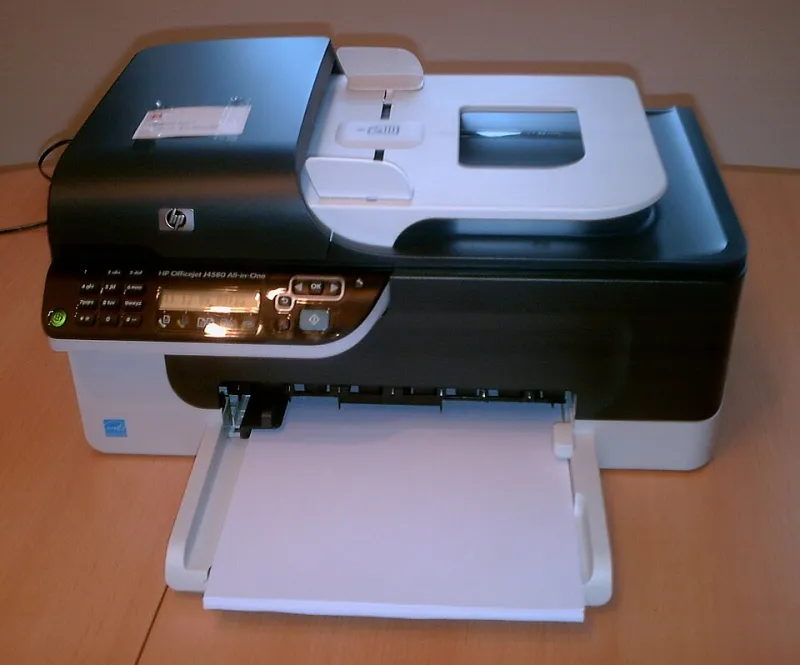
Photo: Klosito, CC BY-SA 3.0, via Wikimedia Commons
Most of us have a printer lurking in a hallway, spare room or under a desk, quietly glowing at us. That little green light feels like background furniture. It is not free, though — and the more interesting question is not just what it adds to your electricity bill, but whether saving a few pence on power ends up costing you far more in wasted ink.
That is the balancing act worth getting right in 2026. Energy is still a line item every UK household notices, but inkjet ink is not cheap either. A printer that is switched off at the wall every night might use less electricity and still clog its way through a cartridge. A printer left on for convenience might be ready to go, but it is also waking up, warming up and running the occasional cleaning cycle whether you are there or not.
Start With the Plug, Not the Printer
Before changing habits, get a baseline. A plug-in energy monitor — often sold as a smart plug with metering — is the simplest tool. Plug the printer into it, leave the printer’s own settings alone for a normal week, and note the readings.
You want three numbers: what the printer draws when it is sitting idle with the light on; what it draws during a print job; and what it draws in the minutes after a job, when fans, rollers and cleaning routines may still be active. If your smart plug logs energy over time, even better. A 24-hour graph is genuinely revealing.
The maths is straightforward. One watt running constantly for a year is about 8.8 kWh. At an illustrative 25p per kWh, that is roughly £2.20. Three watts is about £6.60. Five watts is around £11. Your actual tariff will differ, so check your bill rather than trusting a rule of thumb. The point is not that standby is huge; it is that it is measurable, and it is only one part of the story.
Standby Is Only the Opening Act
The bigger variable is what the printer does when it thinks nobody is looking. Many inkjets wake from sleep for network checks, firmware lookups or scheduled maintenance. Some run a cleaning cycle after a period of inactivity. Others warm up for a job and then stay awake afterwards, just in case.
None of these events is enormous on its own. A cleaning cycle may last a couple of minutes and draw more than standby, but the electricity used is still likely to be pennies. The awkward part is the ink. Cleaning cycles consume ink, and repeated unnecessary ones can empty a cartridge far faster than the occasional letter or school worksheet.
So the energy question and the ink question are tangled together. If you switch the printer off at the wall every single time you finish printing, you may save a small amount of electricity. If that leads to more cold starts, more priming and more nozzle checks, you may lose the savings several times over in ink.
The Convenience Trap
Leaving a printer on all day is not automatically wasteful, but it is worth asking why it is on. If everyone in the house prints something most mornings, standby is the price of a machine that is ready when needed. If the printer sits untouched for a fortnight and only wakes up to clean itself, that is a different pattern.
Look for the printer’s own power settings before you start yanking plugs. Most models have sleep timers, auto-off schedules and sometimes a deep sleep mode. A sensible auto-off — say, after a couple of hours of inactivity — is often a better compromise than a hard switch-off every night, because the printer can still follow its own shutdown routine rather than being cut off mid-cycle.
A Smart-Plug Test You Can Do This Weekend
Set aside an afternoon and treat it like a small household audit. Plug the printer into the meter, then record the idle draw with nothing happening. Print a normal page and note the peak. Wait ten minutes and see what the printer is still using. Then leave it overnight and check the total energy used by morning.
Repeat the exercise with your usual routine changed — for example, using the printer’s auto-off rather than leaving it on permanently. Compare the two daily totals. You are not looking for a dramatic figure; you are looking for a pattern you can live with.
A few practical cautions: do not use the smart plug to cut power while the printer is printing, cleaning or shutting down. Do not unplug a printer that is mid-cycle. And if your printer has a fax or answering-machine function you actually use, check the manual before changing sleep behaviour.
Build a Routine That Protects Ink as Well as Watts
For most UK homes, the best routine is boring and repeatable. Leave the printer on auto-off during normal weeks. Print a small page every few days if the machine is prone to drying out, rather than letting it sit for a month and then running a deep clean. Use the nozzle check pattern when print quality looks off, but do not run a full cleaning cycle for the fun of it.
If you are going away, follow the manufacturer’s guidance for short breaks. If the printer lives in a cold hallway or a room with radiators and draughty windows, pay attention to the ink side of the equation too — dry air and temperature swings are not kind to printheads.
And keep a spare cartridge or two for the inks you actually use. A panic purchase at full price because the printer has suddenly refused to print is a far bigger hit than the few pounds of electricity that started this whole audit.
The Bottom Line
Measuring your printer’s power use is worth doing once, because it replaces a vague worry with a real number. In most households, the electricity saving from perfect standby management will be modest. The ink saving from a calm, consistent routine can be much larger.
So do not chase watts into a clogged printhead. Use a smart plug to understand the machine, set auto-off sensibly, print little and often when that suits your model, and save the hard switch-off for times when the printer genuinely will not be needed. That is the sort of small, unglamorous routine that keeps both the bill and the cartridge drawer under control.