Black Text, Colour Hurdle: Why Your Inkjet Stalls on Mono Pages and What to Do Next

Photo: UK home inkjet printer printing black and white document with colour cartridge warning light, via as2.ftcdn.net
You click print on a black-and-white letter, expecting the simplest job an inkjet can do. Instead the panel flashes, the software mentions a colour cartridge, and the page sits in the queue like a guest refusing to enter the room. It feels like a con: you wanted black text, so why is the printer bothering you about cyan, magenta or yellow?
There are sensible reasons, and a few deeply annoying ones. The trick is knowing which is which before you buy a full set of cartridges you did not need.
The printer is not reading your mind, just its own sensors
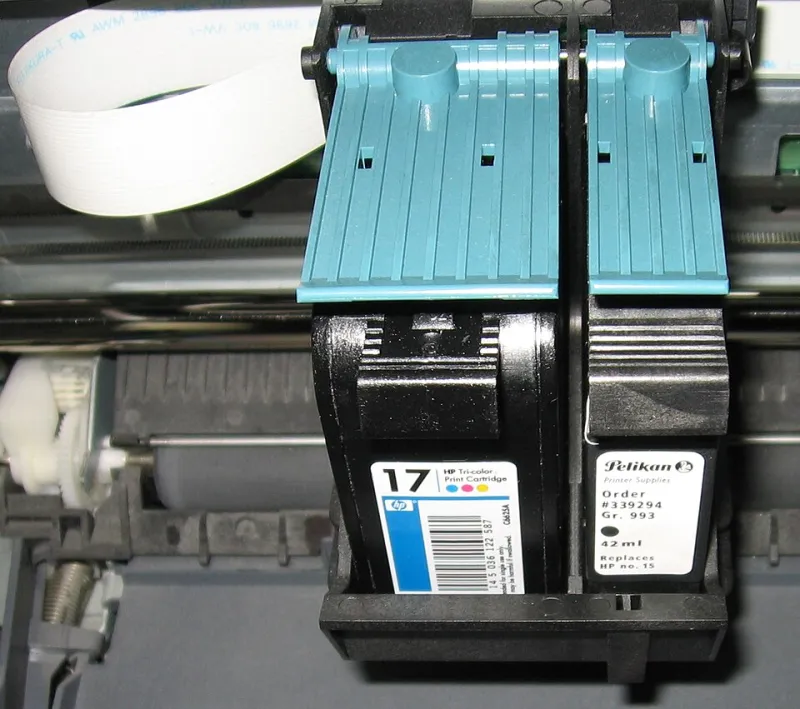
Most home inkjets use a single printhead assembly that carries every colour channel. Even when the document is pure black, the printer may run a short maintenance routine, check nozzle health, or position the head using colour sensors. Some models also use a small amount of colour ink to create a richer 'composite black' on certain paper settings, especially on photo paper or high-quality modes.
That does not mean every mono page drinks colour ink. It does mean the printer's firmware may refuse to start a job if it believes a colour cartridge is below a threshold. The warning is not always about the page in front of you. It is about the health of the machine behind it.
Colour ink's unpaid second job: keeping the nozzles alive
Inkjet nozzles dislike drying out. To prevent clogs, many printers fire tiny amounts of ink through the head during cleaning cycles, or park the head in a capped station where a little ink is used to keep things moist. Colour channels can be involved even when you only print in black, because the head is one unit and the cleaning routine does not always discriminate.
This is why a printer can nag about colour ink when your black cartridge is fine. It is not necessarily trying to sell you a rainbow. It is trying to avoid a much more expensive problem: a dried colour channel that will not recover.
Four settings that decide whether colour gets dragged in
Before you assume the worst, check what the printer has actually been asked to do.
- Greyscale mode. In the driver, look for 'Print in greyscale' or 'Black ink only'. On some models, 'Black ink only' is a true mono setting; on others, it still allows the printer to use colour for maintenance. Read the wording carefully.
- Paper type. Photo paper and 'best' quality modes can push the printer towards composite black or colour-rich rendering. Plain paper and normal quality are usually more honest about mono printing.
- Print quality. Draft or standard mode may bypass some colour routines, while high-quality mode may trigger more maintenance.
- Borderless or special layouts. These can change how the printer prepares the page. Test with a plain A4 document and default margins first.
If a simple text file prints on plain paper with greyscale selected, you have learned something useful: the printer can do mono. The problem is likely a setting or a cartridge threshold, not a dead machine.
When it is a genuine fault, not just a stubborn default
Sometimes the printer is right. A colour cartridge may be genuinely empty, badly seated, or fitted with a chip the printer cannot read. Other times the fault is elsewhere: a blocked printhead, a firmware update that changed cartridge behaviour, or a third-party cartridge that has stopped communicating.
A calm test sequence helps.
- Check ink levels on the printer's own panel, not only in the computer software.
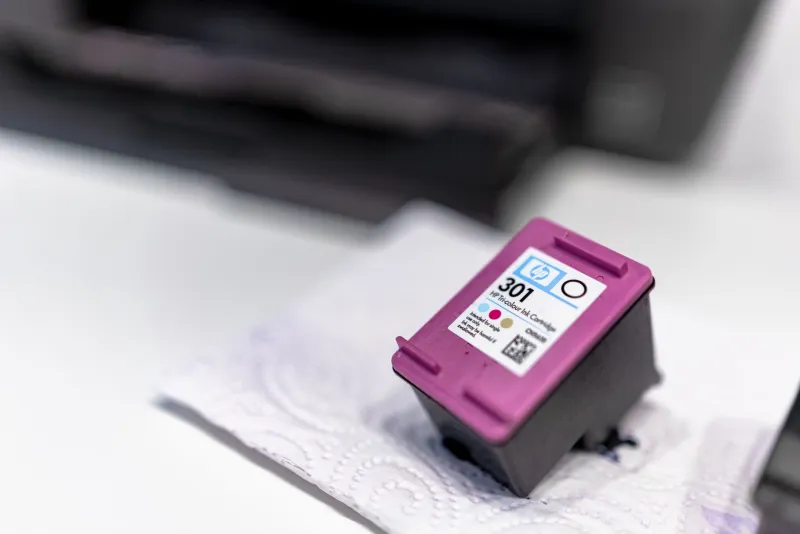
- Remove and reseat the colour cartridge. Listen for the click and check the contacts are clean and dry.
- Run a nozzle check and a printhead cleaning cycle if the test page shows gaps.
- Print a one-page text document with greyscale switched on.
- If you have a spare colour cartridge, swap it in briefly to see whether the warning clears.
- Check the printer manufacturer's support pages for your model and firmware version.
If the printer still refuses mono printing with a known-good colour cartridge, that is a fault worth investigating. If it prints happily once the colour cartridge is replaced, you have your answer.
The checklist before you panic-buy a full set
A stalled mono job can make a full set of cartridges feel urgent. It usually is not. Before you spend, ask:
- Is the document actually set to greyscale, or is the driver still choosing colour?
- Is the colour cartridge low, empty, or just unrecognised?
- Does the printer have a true 'black ink only' mode, and have you found it?
- Is the black cartridge itself healthy? A clogged black channel can mimic a colour problem.
- Have you tried a different USB cable, Wi-Fi connection, or a direct print from the printer panel?
In many UK homes, the answer is a single low colour cartridge and a driver default that never got changed. That is a two-minute fix, not a reason to buy every colour under the sun.
When a compatible colour cartridge is the sensible fix
If the colour cartridge is genuinely finished and your printer will not run mono jobs without it, a compatible colour cartridge can be the practical answer. That is not an upsell if it costs less than the branded alternative and unblocks the printing you actually need. Buy the single colour you require rather than a multipack, check the cartridge code against your printer model, and buy from a supplier that explains its returns policy clearly.
Compatible ink is not automatically right for every printer, and firmware can be fussy. But for a household that prints mostly black text and only needs colour to keep the machine happy, a sensible compatible colour cartridge is often the cheaper route back to a working printer.
A calmer monthly habit
Once the immediate job is printing, spend five minutes learning your printer's own rules. Find the greyscale setting. Note whether your model uses composite black. Keep one spare colour cartridge only if your printer genuinely refuses mono work without it, and store it somewhere cool and dry.
The black-print blues are usually a mix of maintenance logic, firmware caution and a setting that stayed on 'colour' when nobody was looking. Understand that, and you can stop guessing, stop panic-buying, and get back to the dull but satisfying business of printing a page.