The Cartridge Logbook: Five Minutes a Week That Make Bad Ink Explain Itself

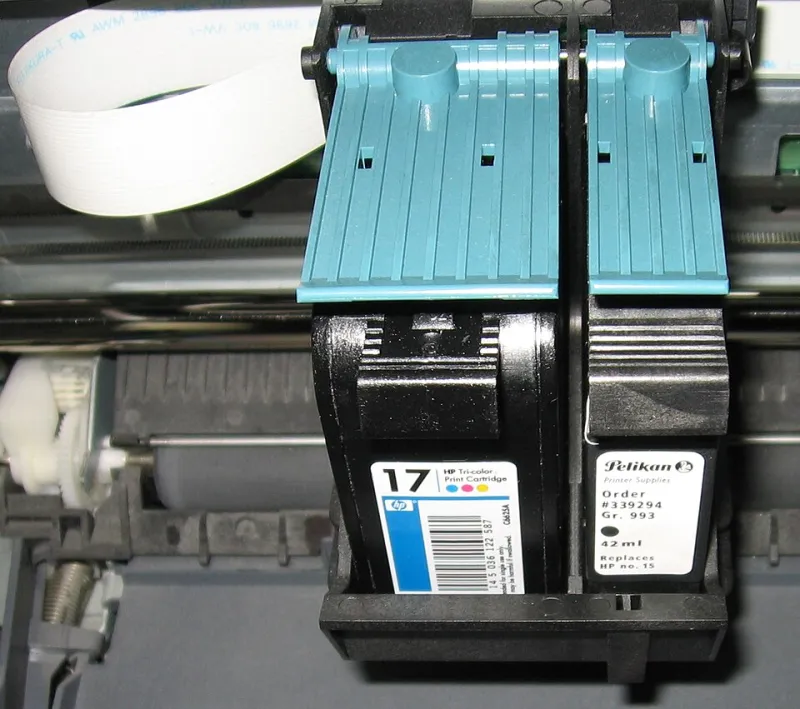
Photo: Jiafei Slay Queen, CC0, via Wikimedia Commons
There’s a particular kind of printer complaint that never gets anywhere. It sounds like this: “The ink was rubbish.” No dates, no batch code, no page count, no photographs, no packaging. Just a feeling, usually formed three weeks after the cartridge went in and two weeks after the retailer’s returns window closed.
A cartridge logbook fixes that. Not with an app, a subscription or a spreadsheet you’ll abandon by Friday, but with a notebook, a pen and about five minutes a week. It’s the least glamorous printing upgrade going. It’s also one of the few that can save you money twice: once by helping you challenge a genuinely faulty cartridge, and again by stopping you rebuying a dud batch.
What the logbook actually is
Think of it as a service history for your ink. Every time you install a cartridge, you write down a few facts. Every week, or whenever you remember, you add a line about how printing is going. When something goes wrong, you’re not relying on memory. You’re reading evidence.
This matters more than most UK households realise. Retailer return windows are often short, and manufacturer warranties tend to have conditions attached. Your rights under the Consumer Rights Act 2015 still apply — goods must be as described, fit for purpose and of satisfactory quality — but a claim is much easier to discuss when you can show the cartridge was installed on a certain date, printed a certain number of pages and started streaking on a certain day.
The columns that earn their keep
You don’t need a laboratory. You need seven bits of information:
- Install date: the day the cartridge went into the printer.
- Cartridge type and colour: black, cyan, magenta, yellow, XL, standard, compatible or original.
- Batch or serial code: usually on the box, the foil wrapper or the cartridge label. Photograph it if the print is tiny.
- Where it came from: retailer, order number, approximate price and the returns deadline.
- Page count: a rough count is fine. Your printer’s menu or app will usually show pages printed since the cartridge was installed.
- Print quality notes: clean, faint, streaky, banded, patchy, fine for text but poor for photos.
- What you did about it: ran a nozzle check, cleaned the printhead, contacted the retailer, binned it in frustration.
That last column is surprisingly useful. If you cleaned the printhead three times and the problem came back, that’s a pattern. If a cartridge worked perfectly for 180 pages and then faded, that’s different from one that was patchy from page one.
A template you can copy tonight
You can draw this in any notebook. If you prefer to print a sheet, copy this table into a document and keep it near the printer.
| Install date | Cartridge / colour | Batch code | Source & order no. | Return by | Pages printed | Quality notes | Action taken |
|---|---|---|---|---|---|---|---|
| 13/11/2026 | Compatible black | ABC123 | Example Ink Co. #12345 | 13/12/2026 | 40 | Fine for letters | None |
The date in the example is simply today’s date. Use your own installation date and keep the log honest. A rough page count is far better than no page count, and a short note like “faint on page 3” is more useful than a paragraph written from memory a month later.
The five-minute weekly routine
Pick a moment you’ll actually remember: Sunday evening while the kettle boils, Monday morning before the first work call, or whenever you next empty the paper tray. Then do this:
- Check the printer’s page count or ink status screen.
- Add any print-quality notes from the past week.
- If you installed a new cartridge, record the batch code and return deadline.
- If a cartridge is misbehaving, take one photo of the test page and one of the cartridge label.
- Stop. That’s it. Five minutes, no spreadsheet gymnastics.
The point isn’t to become a printer hobbyist. The point is to catch problems while the packaging, receipt and returns window are still in play.
When a cartridge starts misbehaving
Don’t bin it immediately. Run a nozzle check, then a cleaning cycle if your printer offers one. If the problem persists, make a note and contact the retailer or supplier with the facts: install date, batch code, page count, what the print looks like and what you’ve already tried. Keep the packaging until the issue is resolved if you have the space.
This is where the logbook earns its keep. A retailer can’t do much with “the ink is bad”. They can work with “installed on 2 November, batch ABC123, 35 pages printed, banding from the first test page, photographs attached”. That’s not aggression. It’s just a clearer conversation.
Dud batches and the rebuy trap
A logbook also protects you from yourself. If you try a cheap compatible cartridge and it prints badly, the log reminds you not to order the same batch again six weeks later because it was on offer. If a particular batch code keeps appearing in your notes with the same fault, you’ve got a reason to ask the supplier whether others have reported it.
Equally, the log stops you blaming the ink for everything. If three cartridges from different batches all print poorly after the printer has sat unused for a month, the common factor may be the printer, the paper or the drying-out habit — not the supplier.
Keep it small, keep it useful
A cartridge logbook is not a warranty legal kit, and it won’t turn a bad purchase into a guaranteed refund. It’s simply a record. But in a market full of compatible inks, XL packs and changing return policies, a record is a quietly powerful thing.
Start with the cartridge that’s in your printer right now. Write the date, the batch code and the page count. Then stick the notebook near the paper stash. Five minutes a week is a small habit, but it turns printer complaints from a grumble into something a retailer can actually answer.